Your RAG App Works. Now Make It a Real Assistant.
The second course in the Build AI Apps with Python path is live. Add a REPL, conversation history, streaming output, and slash commands to your RAG codebase.
The RAG course ends with a working app. You pass a PDF and a question on the command line, get an answer back, and that's it. It works - but it's not how you'd actually use an assistant.
You want to ask three questions in a row without restarting the script. You want to ask a follow-up without repeating the context. You want it to search your markdown notes, your Python source files, your docs folder - not just PDFs. You want answers to stream in as the model generates them, not appear all at once after a few seconds of silence.
The second course in the Build AI Apps with Python path builds all of that.
The project: a terminal assistant for your files
By the end, you run the assistant against any folder:
python app.py ./docsIt indexes the files, loads from a cache if one exists, and drops you into an interactive prompt:
Assistant ready. Type your question, or /help for commands.

You: what endpoints does the API have?
Assistant: The API exposes three endpoints...

You: what authentication method does it use?
Assistant: Based on our earlier discussion, the API uses...
The assistant searches across any mix of .txt, .md, .py, .js, .ts, .yaml, and .json files. It remembers the conversation so follow-ups work. Responses stream as the model generates them. You can use slash commands to control the session without restarting - and prefix a question with @readme.md to target a specific file directly.
The course starts from the same codebase you built in the RAG course. If you haven't done that one, the starter code is included.
Lesson 1: Index Any File Type
The RAG course hardcoded PDF extraction. This lesson replaces it with a folder indexer that walks a directory, filters by extension, and reads any text-based file.
You remove the development helpers that no longer belong in a finished tool. You define a SUPPORTED_EXTENSIONS constant - using a Python set so the membership check is fast. You write a list_files function that uses os.walk to recurse through subdirectories. And you replace extract_text with a version that reads text files directly.
By the end of this lesson, the indexer runs on any folder.
Lesson 2: Add an Interactive Loop
The one-shot CLI takes arguments and exits. The interactive version takes a folder path and keeps running until you quit.
This lesson replaces main() with a REPL: a while True loop that reads input, processes it, prints the answer, and loops back. You add an exit path, wire up the full question-answering pipeline inside the loop, and add a --index flag so users can force a fresh re-index without deleting the cache file manually.
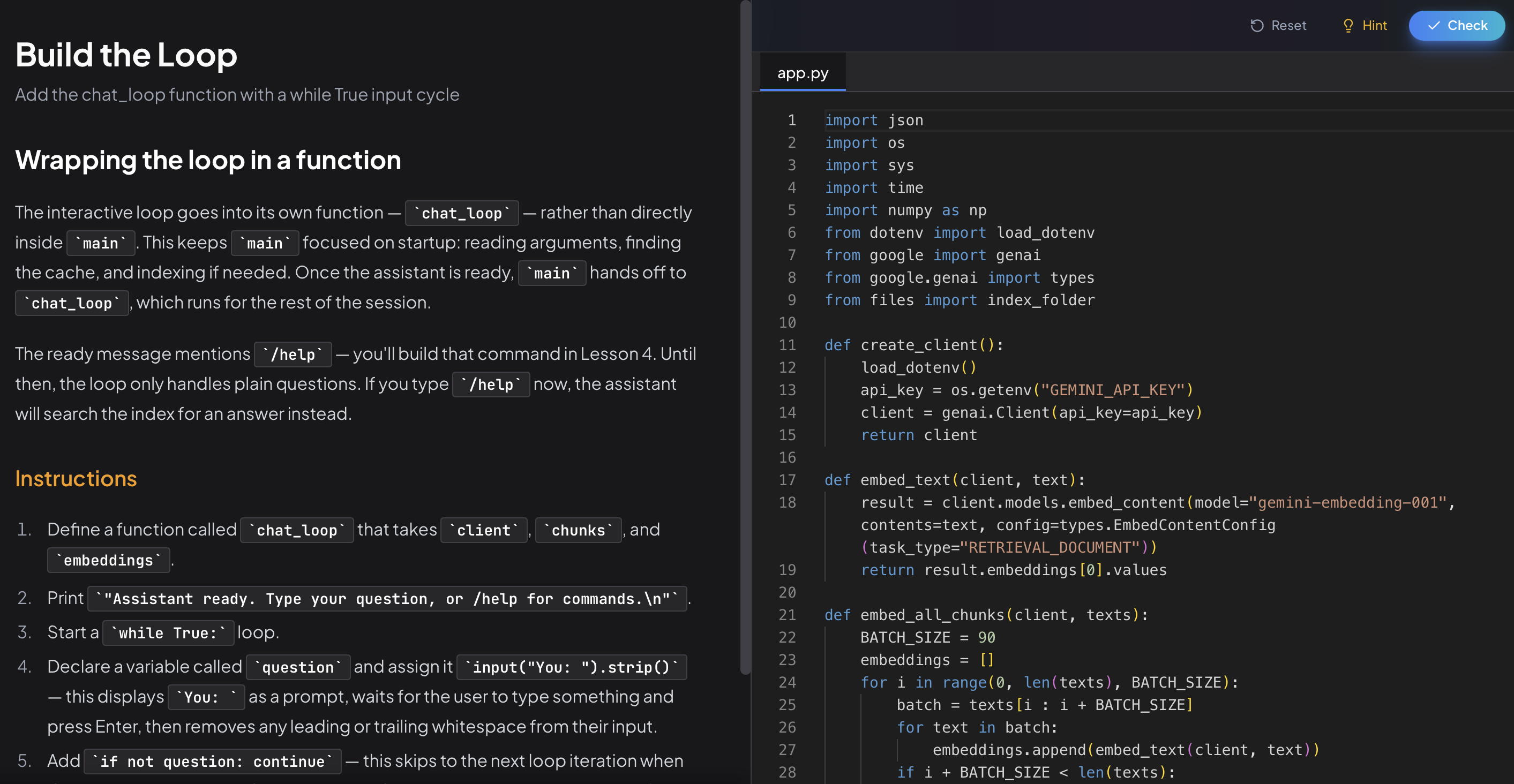
By the end, you can ask as many questions as you want in a single session.
Lesson 3: Remember the Conversation
LLMs are stateless. Each call to generate_content knows nothing about the previous one. Ask a follow-up and the model has no idea what "it" refers to.
This lesson fixes that by maintaining a history list and injecting it into every prompt. You write a build_prompt_with_history function that formats prior turns as a transcript, then appends the current question. You update the loop to record each exchange. The prompt grows with the conversation - and the model can answer "what does the second one do?" because everything is there.
Lesson 4: Streaming and Commands
The last lesson makes the assistant feel like one.
Streaming. Right now, generate_content waits for the full response before returning. You swap in generate_content_stream and print each token as it arrives - the same experience as typing into Claude or ChatGPT, where you see the answer build in real time.
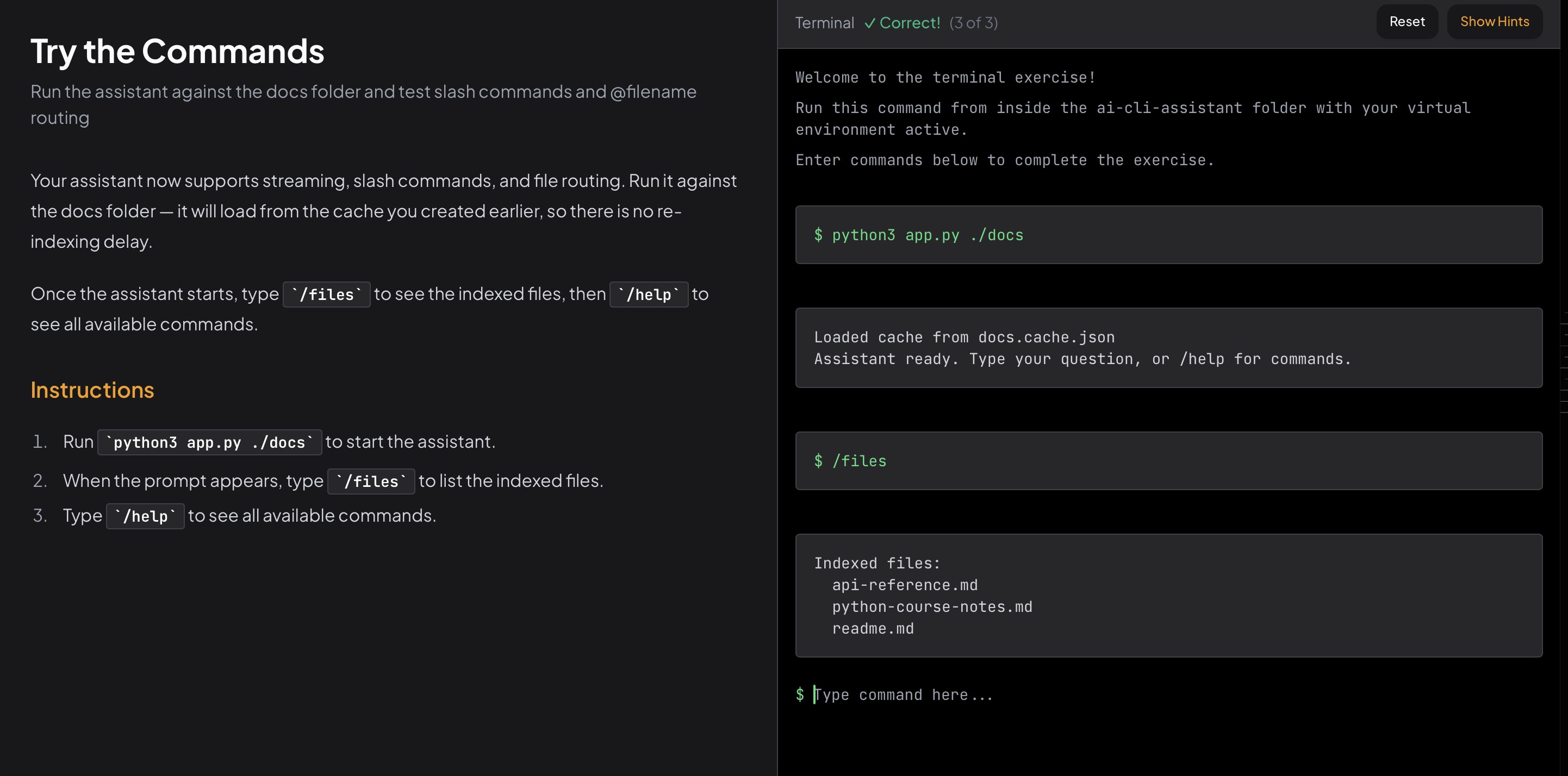
Slash commands. A handle_command function intercepts inputs that start with /. /help prints available commands. /clear wipes the conversation history. /files lists every indexed file. /exit quits cleanly. Adding a new command is three lines.
@filename routing. When the user types @readme.md what does it cover?, the assistant skips vector search entirely and sends every chunk from that file directly to the model. This is more accurate when you already know which file has the answer - you want the model to read it fully, not retrieve fragments from it.
What comes next
The third course in this path is in development: Build an AI Agent with Tool Use. The assistant answers questions about existing documents. The agent goes further - it plans steps, calls tools, and takes action. Creating files, searching the web, running code. The think-act-observe loop, built from scratch.
Why interactive courses
Every chapter in this course puts you in an editor. Instructions on one side, code on the other. You write each function, the platform checks it, you move on.
The interactive loop chapter doesn't explain what a REPL is and call it done. It has you build one. The streaming chapter doesn't show you the API - it has you swap in the streaming client and observe the difference. By the end, you understand the pieces because you assembled them.
The course is free. No paywall, no trial.
Start the AI CLI Assistant course →
Questions or feedback? Find me on Twitter.
- Andrei

Founder of DevGuild. I build tools for developers and write about Python, AI, and web development.
@RealDevGuild